Description
Warehouse App for Cargopro | Courier and Delivery Management System
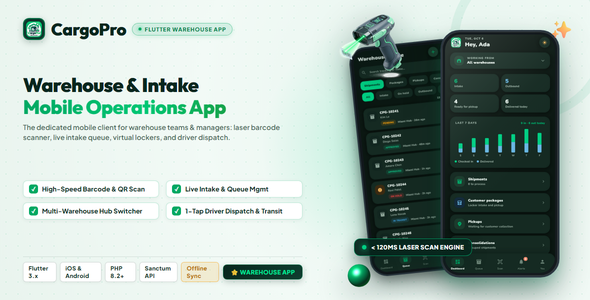
Warehouse App for Cargopro | Courier and Delivery Management System is the warehouse app of the CargoPRO logistics suite. It connects to your CargoPRO Laravel admin panel through its secure REST API, so every action on the warehouse floor — receiving a walk-in shipment, checking a parcel into the warehouse, scanning a barcode or QR label at the dock, dispatching a shipment to a driver, recording a cash-on-delivery payment — updates the same shipment tracking system your customers and drivers use, in real time.
Two staff roles share one app. Warehouse staff are locked to their assigned warehouse and work a focused queue of shipments, customer packages, pickups, consolidations and pre-alerts. Managers switch between warehouses (or view all of them), follow company-wide stats and open payments and the customer directory. Admins, drivers and customers are pointed to the right CargoPRO tool at login.
Management Features
At A Glance
- Two roles, one app — Managers and Warehouse staff get their own experience; admins, drivers and customers are redirected to the right CargoPRO app at login
- 5 warehouse queues — shipments, customer packages, pickups, consolidations and pre-alerts, all searchable
- Barcode & QR code scanner — one scan finds the shipment or parcel by AWB, order number, purchase tracking number or internal ID
- Offline scanning — scans captured without signal are queued and synced automatically when the connection returns
- Role-based permissions — mirrors the admin panel’s roles & permissions, with locked actions clearly labeled
- Push notifications + in-app inbox — Firebase push alerts with unread badges, mark-read and mark-all-read
- Light, dark and system themes, remembered per device
- Shipment status colors from your admin panel — restyle a status there and the app follows
Package Receiving & Walk-In Intake
- New walk-in shipment — pick the customer with live type-ahead search, enter recipient, destination, weight (kg), declared value and contents; the server generates the tracking number
- New locker package — receive an online-shopping or parcel-forwarding package with weight, purchase price and contents; the locker tracking number is assigned automatically
- New pre-alert — register an incoming purchase with tracking number, store and courier on behalf of a customer
- Package condition photos — attach a camera photo to any intake, resized and uploaded to the order
Barcode Scanning & Check-In
- Full-screen barcode scanner with a corner-bracket reticle, flashlight (torch) toggle and duplicate-scan cooldown — built for the warehouse floor
- Manual code entry for damaged or unreadable shipping labels
- Pre-alert matching — scanning a label that matches a customer’s pre-alert offers a one-tap “Register locker package” conversion
- One-tap warehouse check-in assigns the parcel to your warehouse, approves it and writes a tracking event the customer can see
- Dispatch & driver hand-off — check shipments out as in transit or out for delivery and hand them to a driver, who is notified
- Offline scan outbox — queued scans survive app restarts and sync on reconnect; the dashboard shows what is still waiting