Description
DocNest | React Node.js Document Management with Auto-Sort and Secure Sharing
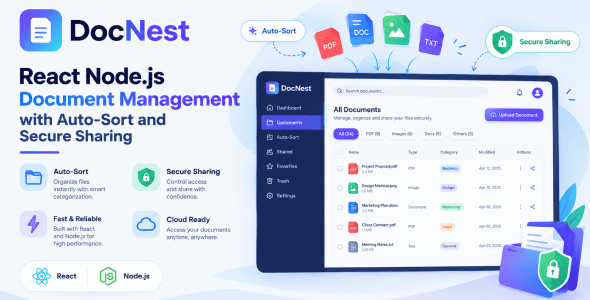
DocNest | React Node.js Document Management with Auto-Sort and Secure Sharing is a modern, self-hosted platform for storing, organizing, encrypting and sharing documents. It is built for teams and organizations that want the convenience of a cloud drive while keeping full control of their data on their own server.
The standout idea behind DocNest is auto-sort: instead of manually filing every document, you define classification rules once and DocNest routes each upload into the correct folder automatically — whether you drop a single file, an entire folder, or a .zip archive. Everything that lands on disk is encrypted at rest and decrypted only when an authorized user views, downloads or shares it.
Who is it For?
- Businesses & Offices: A private, secure document hub with automatic filing and team sharing.
- Agencies & Freelancers: Organize client files, share securely via expiring links, and brand the portal as your own.
- Legal, Finance & HR teams: Encrypted-at-rest storage with strict per-folder permissions and a full audit trail.
- IT & SaaS resellers: A self-hosted, white-labelable document platform you can deploy for clients.
- Any team that has outgrown shared network drives and wants structure, security and access control.
Use Cases
- Central, auto-organized company document repository
- Secure client file delivery via password-protected public links
- Encrypted storage of sensitive PDFs, contracts and scans
- Department-scoped folders with fine-grained permissions
- Field task management with geo-tagged photo proof
- Brandable document portal for resale / white-label
Key Features
Upload & Auto-Sort
- Multiple upload methods: drag & drop, file picker, whole-folder upload, and .zip archives that are auto-extracted server-side.
- Supported formats: PDF, Word (.doc, .docx), Excel (.xlsx), PowerPoint (.pptx), JPEG and PNG.
- Magic-byte validation: every file’s real type is verified from its content, not just its extension — renamed/disguised files are rejected.
- Size limit: configurable maximum upload size (default 50 MB per file).
- Auto-classification: a rules engine routes each upload into the correct folder; unmatched files go to the Unsorted fallback.
- Re-classify: re-run rules over the Unsorted folder after adding new rules.
- Duplicate handling: name collisions are auto-resolved with (2), (3)… suffixes.
Encryption at Rest
- AES-256-GCM authenticated encryption for every uploaded document on disk.
- Transparent decryption only at the moment of view, download or share.
- Encryption key is configured via environment variable (with a safe fallback derivation).
- Backups are decrypted and folder-organized so they remain usable.
Folders & Archive
- Colour-coded folder tree, up to 3 levels deep.
- Drag-and-drop reordering and a singleton Unsorted fallback folder.
- Grid and list views, sort by date / name / size, and per-type filtering.
- Per-folder file and storage totals.
Secure Sharing
- Internal (team) shares — pick recipients, set view / download / re-share permissions, an optional message and expiry. Recipients get a notification and see it under Shared with me.
- External (public) links — tokenized links with optional password, expiry, download limit and view-only mode, plus access logging.
- Folder sharing — the same internal and external sharing for entire folders, including a public folder viewer with per-file view/download and a Download all (ZIP) option.
- Quick share buttons for WhatsApp, Telegram, email and copy-link.