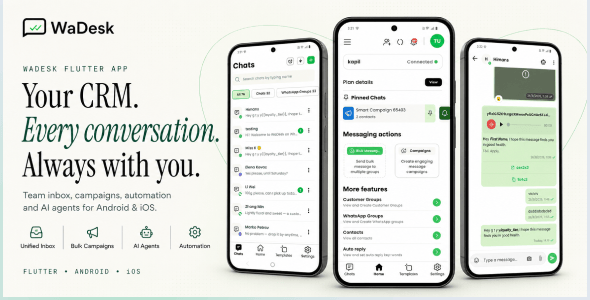
Description
WaDesk | AI-Powered Omnichannel, Bulk Messaging Flutter App
WaDesk | AI-Powered Omnichannel, Bulk Messaging Flutter App is a modern mobile client built with Flutter + Dart for managing business conversations, campaigns, contacts, automation, and customer communication from Android and iOS devices.
Who Is WaDesk For?
- Marketers & Growth Teams: Create campaigns, organize audiences, use reusable templates, and manage communication from a mobile device.
- Agencies & Freelancers: Work with multiple client workspaces, connected devices, campaigns, subscriptions, and billing information.
- E-commerce & D2C Brands: Handle customer conversations, order-related updates, promotions, and personalized messages.
- Sales Teams: Keep frequently used messages and customer conversations accessible for faster follow-up.
- SaaS Businesses & Founders: Provide customers with a mobile communication client connected to the WaDesk web platform, including plans, billing, credits, and CMS functionality.
Key Features
Workspaces
- Multi-workspace: Belong to multiple workspaces and switch between them from the app.
- Create Workspace: Configure workspace name, industry, team size, and timezone.
- Workspace Scoping: API requests are scoped to the selected workspace using the X-Workspace-Id header.
- Workspace Contacts: Add, edit, delete, search, and manage contacts belonging to the active workspace.
Connected Devices & Channels
- Multiple Connection Methods: Connect through Meta WhatsApp Business API, Twilio, or the unofficial Baileys connection method.
- QR Pairing: Baileys devices are paired from the WaDesk web dashboard and then become available in the mobile app.
- Device List: View connected devices, numbers, names, and current connection status.
- Multi-device Support: Manage more than one connected device and switch between them.
- Live Status: Check the connection state before sending messages.
- Multi-channel Inbox: Conversations can be associated with WhatsApp, SMS, Facebook, Instagram, Telegram, Viber, WeChat, LINE, and TikTok.
- Channel-aware Actions: Available composer features and message actions automatically adapt to the capabilities of the selected channel.
- Read Status: Read indicators are displayed only for channels and connection methods that provide reliable read-state information.
- Server-Verified Sends: Failed messages display the reason returned by the server instead of showing an incorrect sent state.
- Pinned Queues: Keep frequently used broadcast queues accessible from the home screen.
Team Inbox & Real-Time Chat
- Unified Inbox: Access conversations, groups, broadcast queues, and customer groups from one interface.
- Real-Time Delivery: Receive incoming messages through Pusher / Reverb WebSockets with an automatic polling fallback.
- Quick Send: Start a one-to-one conversation using a country-code selector.
- Chat Details: View conversation history and respond directly from the thread.
- Media Attachments: Send images, videos, audio files, PDFs, and documents.
- Message Actions: Reply, forward, pin, star, delete, view information, and use reactions where supported by the active channel.
- Agent Indicators: Conversations handled by an automated agent display its name, status indicator, and optional quality rating.
- Forward Messages: Forward messages to supported chats, groups, queues, and customer groups.
- Emoji Picker: Use emojis directly inside the message composer.
- Archive: Archive and restore conversations from the dedicated archive screen.